Available on the App Store
Record vertical & wide
at the same time.
DualCam saves two videos in one take — 9:16 portrait for TikTok & Reels, and 16:9 landscape for YouTube. 4K · 60fps · Dual Lens.
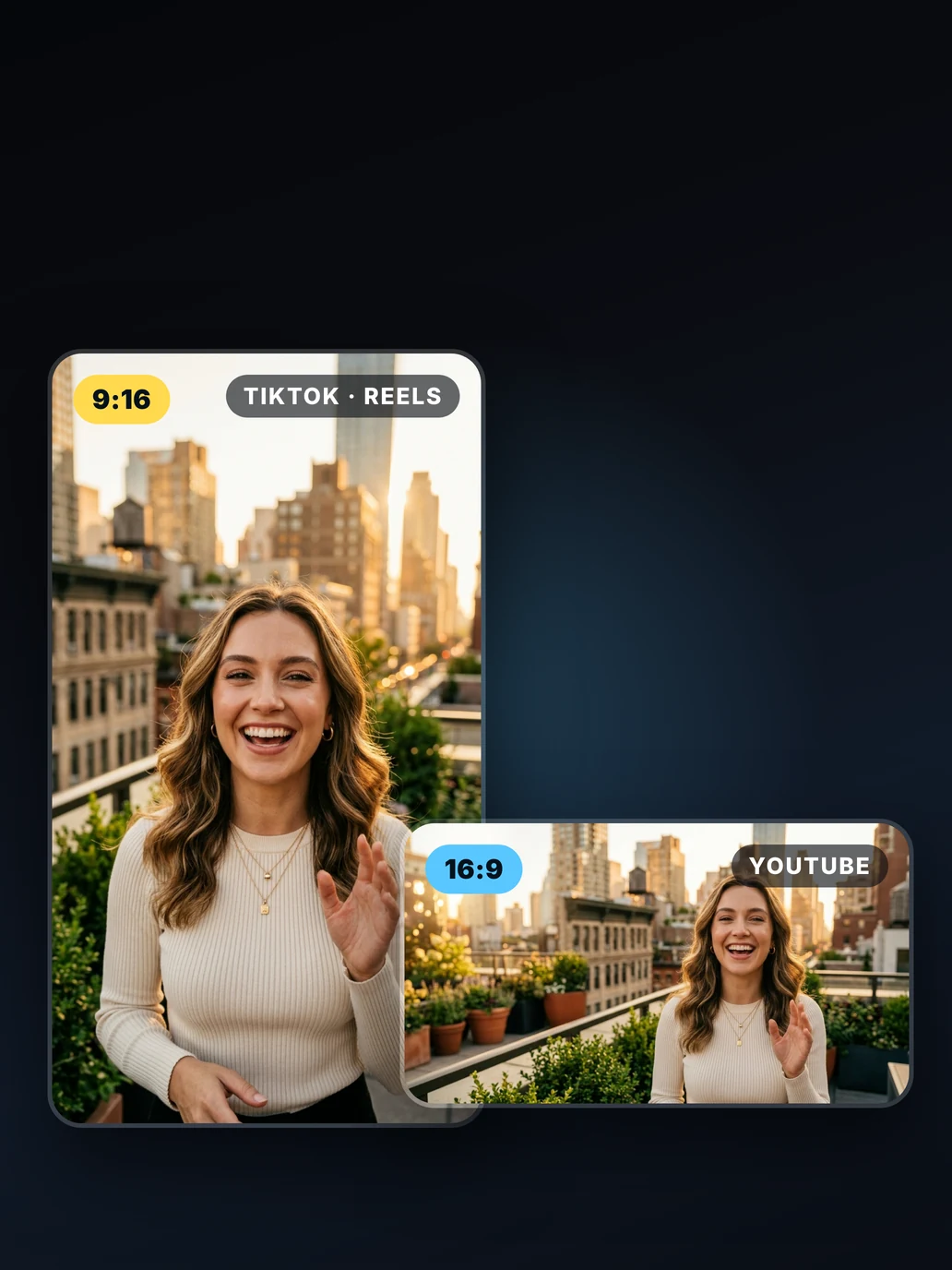
DualCam saves two videos in one take — 9:16 portrait for TikTok & Reels, and 16:9 landscape for YouTube. 4K · 60fps · Dual Lens.
App Screenshots
A single tap — two videos, perfect for every platform.


Features
DualCam is a mobile app for creators who need vertical and horizontal video — without recording twice. Capture and manage photos and videos with advanced dual camera features.
Activate two rear cameras simultaneously — wide + ultra-wide or telephoto. Drag the Picture-in-Picture window anywhere and swap cameras mid-recording.
Every recording saves 9:16 portrait (TikTok, Reels, Shorts) and 16:9 landscape (YouTube) as separate files — synced frame-by-frame, ready to post.
Full control over quality, format, and codec. Choose from 4K · 60fps · HEVC or dial in exactly what your project requires.
Your latest clips appear instantly after recording. Play, share, or delete in one tap — no need to leave the app.
Sign in with Google and publish directly from DualCam. Set privacy to Private, Unlisted, or Public before uploading, and securely sync your media across devices.
Available in English, Turkish, Spanish, French, German, Japanese, Korean, Chinese, Arabic, and many more.
How It Works
From open to upload in under a minute.
Dual cameras activate instantly. Position your PiP overlay, pick your resolution (up to 4K), and choose your frame rate.
DualCam simultaneously captures 9:16 vertical and 16:9 landscape. Swap lenses mid-take with a single tap on the PiP.
Two synced video files land in your Photos instantly — one for TikTok & Reels, one for YouTube. Or upload to YouTube directly.
Guides & Tutorials
Practical guides on vertical vs horizontal video, dual-camera recording, and getting the best out of your iPhone camera.
The trick to a clean split screen video is capturing both angles in a single synced take. Here's how to record two cameras at once on iPhone — and turn them into a side-by-side clip.
7 min read →Yes — iPhone can film your face and the scene in front of you at once. Here's exactly how to record the front and back camera at the same time, in one synced take.
8 min read →A practical, honest guide to choosing a dual camera app for iPhone in 2026 — the features that actually matter, why the stock Camera app can't do it, and where DualCam fits.
8 min read →Reaction videos come down to one thing: capturing your face at the same moment as whatever you're reacting to. Here are the two ways to do it on iPhone — a live front+back PiP take, or a face-cam recording you combine with a source clip.
8 min read →FAQ
Everything you need to know about DualCam.
Get Started
Download DualCam: Dual Camera Recorder for free and unlock 4K dual video with DualCam Pro.